

Introduction
TiviMate is widely recognized as one of the best IPTV players available in 2026. Designed specifically for Android TV devices, this powerful streaming application combines a modern interface, advanced features, and excellent performance to deliver a premium viewing experience. Whether you enjoy live TV channels, sports events, movies, series, or international content, it offers a level of usability and customization that many competing IPTV apps struggle to match.
In this comprehensive TiviMate review, we will explore everything you need to know about the software, including its key features, premium version, installation process, supported devices, pricing, advantages, disadvantages, and overall performance. If you are searching for the best IPTV player for users in the Netherlands, this guide will help you determine whether it is the right solution for your streaming setup.
Unlike IPTV providers, the application does not supply channels, movies, or subscriptions. Instead, it serves as a media player that allows users to connect existing IPTV services using M3U playlists or Xtream Codes credentials. This flexibility makes it compatible with most IPTV subscriptions currently available on the market.
Over the years, the platform has built a strong reputation thanks to its intuitive design, advanced Electronic Program Guide (EPG), playlist management tools, recording capabilities, and extensive customization options. These features have helped make it one of the most popular choices for Android TV, Google TV, Fire TV Stick, and other streaming devices.
Whether you are considering the premium version or simply looking for a reliable IPTV player, this detailed review covers everything you need to know before getting started.
What Is TiviMate?
TiviMate is an advanced IPTV player designed specifically for Android TV devices. Developed with a television-focused interface, it delivers a professional viewing experience that closely resembles traditional cable and satellite television services.
The application allows users to organize channels, access electronic program guides (EPG), create favorites lists, manage multiple playlists, and customize the user interface according to their preferences.
One of the reasons for TiviMate’s popularity is its clean design. Unlike many IPTV apps that feel outdated or difficult to navigate, TiviMate provides a modern and intuitive user experience.
Key Facts About TiviMate
- Available for Android TV devices
- Supports M3U playlists
- Supports Xtream Codes API
- Supports XMLTV EPG
- Offers free and premium versions
- Compatible with most IPTV subscriptions
- Supports multiple playlists
Key Features of TiviMate
TiviMate includes numerous advanced features that make it one of the best IPTV players available in 2026.
Modern User Interface
The user interface is one of TiviMate’s strongest selling points. Everything is optimized for television screens and remote controls.
Users can quickly navigate channels, categories, settings, and recordings without confusion. The layout feels premium and professional compared to many competing IPTV applications.
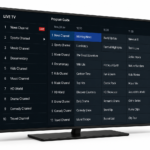
Electronic Program Guide (EPG)
The integrated EPG system allows users to view upcoming programs and channel schedules.
Benefits include:
- TV guide view
- Current program information
- Upcoming program schedules
- Multiple guide layouts
- Easy navigation between channels
A properly configured EPG significantly improves the IPTV viewing experience.
Favorites and Channel Organization
Users can create custom favorite lists and organize channels according to their preferences.
Examples include:
- Sports channels
- Dutch channels
- Movie channels
- Kids channels
- International channels
This feature helps reduce clutter and makes navigation much faster.
Multiple Playlist Support
One of the most useful premium features is support for multiple IPTV playlists.
Users can:
- Add several IPTV providers
- Combine multiple subscriptions
- Organize playlists independently
- Switch easily between providers
This is especially useful for advanced IPTV users who manage more than one subscription.
Recording Functionality
Premium users can record live television programs directly to compatible storage devices.
Recording options include:
- Single recordings
- Scheduled recordings
- Series recordings
- Automatic recording management
This feature is particularly valuable for sports fans and users who want to watch programs later.
Catch-Up Support
Many IPTV providers offer catch-up television services.
TiviMate supports catch-up features when available through the IPTV provider, allowing users to watch previously aired programs directly from the interface.
TiviMate Free vs Premium
Many users wonder whether the premium version is worth purchasing.
The free version provides basic IPTV playback functionality, while the premium version unlocks advanced features designed for serious IPTV users.
| Feature | Free Version | Premium Version |
|---|---|---|
| IPTV Playback | Yes | Yes |
| EPG Support | Basic | Advanced |
| Multiple Playlists | No | Yes |
| Recording | No | Yes |
| Favorites Management | Limited | Full |
| Channel Customization | Limited | Full |
| Device Synchronization | No | Yes |
| Catch-Up Features | Basic | Advanced |
For most IPTV users, the premium version provides significantly better value and flexibility.
How to Install TiviMate
Installing TiviMate is relatively simple and takes only a few minutes.
Install TiviMate on Android TV
- Open the Google Play Store.
- Search for TiviMate.
- Select the application.
- Click Install.
- Launch the application.
- Add your IPTV playlist.
Install TiviMate on Google TV
Google TV devices support TiviMate directly through the Play Store.
The installation process is identical to Android TV and usually takes less than five minutes.
Install TiviMate on Fire TV Stick
Since TiviMate is not available directly from the Amazon App Store, Fire TV users must sideload the application.
Steps include:
- Enable Developer Options.
- Install Downloader.
- Download the TiviMate APK.
- Install the application.
- Add IPTV credentials.
This process is straightforward and commonly used by IPTV enthusiasts.
One of the most common questions among Dutch IPTV users is whether TiviMate works on Samsung Smart TVs.
Unfortunately, TiviMate is not available for Samsung’s Tizen operating system.
However, users can still enjoy TiviMate by connecting external streaming devices such as:
- Amazon Fire TV Stick 4K Max
- Google TV Streamer
- NVIDIA Shield TV Pro
- Xiaomi TV Box S
- Formuler devices
These devices provide full access to TiviMate and all premium features.
Many IPTV users in the Netherlands choose a Fire TV Stick or Android TV box specifically to run TiviMate.