

Introduction
Finding the right IPTV player can significantly improve your streaming experience, especially when using modern Smart TVs and IPTV subscriptions. Among the many IPTV applications available today, IBO Player Pro has become one of the most popular choices for users looking for a reliable, feature-rich, and easy-to-use IPTV player.
In this comprehensive IBO Player Pro Review 2026, we examine everything you need to know before choosing this application. From installation and activation to pricing, supported devices, playlist management, and overall performance, this guide covers all aspects of the platform.
Unlike IPTV providers, IBO Player Pro does not offer channels, movies, or television subscriptions. Instead, it serves as an advanced IPTV player that allows users to load their own IPTV playlists using M3U URLs or Xtream Codes credentials. This flexibility makes it compatible with most IPTV services available in the Netherlands and across Europe.
Whether you use a Samsung Smart TV, LG Smart TV, Android TV, Fire TV Stick, or another compatible streaming device, IBO Player Pro offers a modern interface and powerful features designed to simplify IPTV viewing. In this review, we will explore its strengths, weaknesses, pricing structure, activation process, and whether it deserves a place among the best IPTV players available in 2026.
What Is IBO Player Pro?
IBO Player Pro is a premium IPTV player designed to stream content from external IPTV subscriptions. The application acts as a media player that organizes live TV channels, video-on-demand content, series, and electronic program guide data into a user-friendly interface.
The platform is especially popular among Smart TV users because it provides a smooth viewing experience without requiring additional hardware.
Key Features
- Support for M3U playlists
- Xtream Codes integration
- Electronic Program Guide (EPG)
- Modern user interface
- Multi-playlist support
- Favorites management
- External subtitle support
- Multiple language support
- Fast channel switching
- Cloud playlist synchronization
Because of these features, many users consider it one of the best IPTV player applications currently available.
IBO Player Pro Features
One of the main reasons behind the growing popularity of IBO Player Pro is its extensive feature set.
Modern User Interface
The application provides a clean and intuitive layout that allows users to browse channels, movies, and series effortlessly. Navigation remains smooth even when large playlists are loaded.
Multi-Playlist Management
Users can upload multiple IPTV subscriptions and switch between playlists without difficulty. This feature is particularly useful for households using different IPTV services.
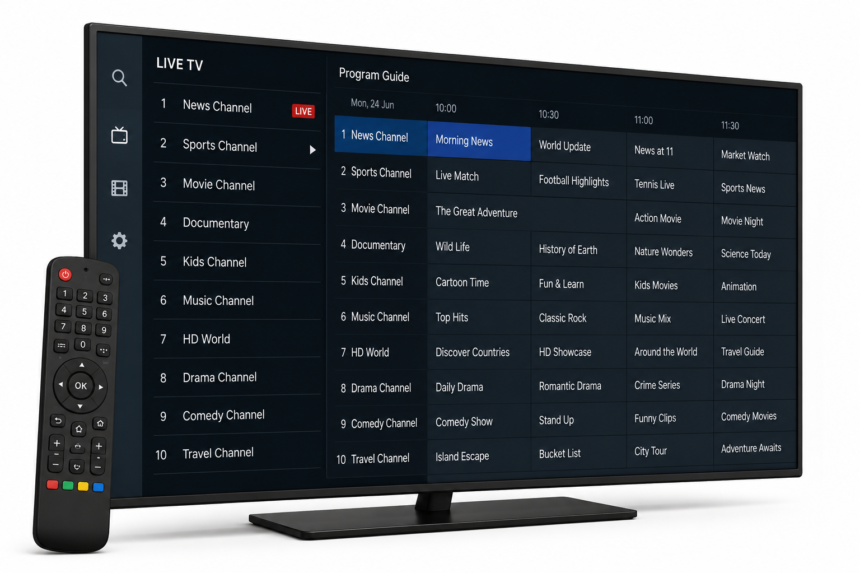
Electronic Program Guide (EPG)
The integrated EPG provides program schedules directly within the application.
Benefits include:
- Current program information
- Upcoming broadcasts
- Enhanced channel navigation
- Better viewing experience
Fast Channel Switching
One of the most appreciated features is the application’s responsiveness. Channels load quickly, reducing waiting times and improving overall usability.
Customization Options
Users can personalize the interface through:
- Theme settings
- Layout customization
- Favorite channel groups
- Playlist organization
IBO Player Pro Activation Process
Before using all premium features, users must complete the IBO Player activation process.
How IBO Player Pro Activation Works
The activation procedure is straightforward:
- Install the application.
- Launch the app on your device.
- Note the Device ID and Device Key.
- Visit the official activation portal.
- Enter your device information.
- Purchase an activation license.
- Upload your IPTV playlist.
- Restart the application.
After activation, all premium features become available.
IBO Player Pro Lifetime Activation
One of the biggest advantages of the platform is the availability of lifetime activation options. Instead of paying recurring subscription fees, users can make a one-time payment and continue using the application indefinitely.
This makes IBO Player Pro attractive for long-term IPTV users.
IBO Player Pro Pricing
Many users search for terms such as “IBO Player Pro kosten” and “IBO Player Pro price” before making a purchase.
The exact pricing may vary depending on promotions and licensing options.
Typical Pricing Structure
| Plan | Features |
|---|---|
| Free Trial | Limited testing period |
| Lifetime License | One-time payment |
| Premium Access | Full functionality |
Compared to many competing IPTV applications, IBO Player Pro offers excellent value due to its lifetime licensing model.
Supported Devices
A major advantage of IBO Player Pro is its wide compatibility.
Samsung Smart TVs
IBO Player Pro for Samsung TV is one of the most popular use cases. The application runs smoothly on most modern Samsung Smart TVs and provides an excellent user experience.
LG Smart TVs
Users searching for IBO Player Pro for LG TV will be pleased to know that the application is fully compatible with many LG Smart TV models.
Additional Supported Devices
- Android TV
- Google TV
- Fire TV Stick
- Android Boxes
- Chromecast with Google TV
- Various Smart TVs
This broad compatibility makes the application suitable for most IPTV users in the Netherlands.
IBO Player Playlist Setup
After activation, users can configure playlists.
Supported Playlist Types
- M3U Playlist URLs
- M3U Files
- Xtream Codes API
Playlist Setup Process
- Access the playlist management portal.
- Enter your playlist details.
- Save the configuration.
- Restart the application.
- Allow channels to load.
The setup process usually takes only a few minutes.
Advantages and Disadvantages
Advantages
- Easy activation process
- Lifetime license available
- Excellent Smart TV support
- Fast performance
- User-friendly interface
- Multi-playlist functionality
- EPG integration
Disadvantages
- Does not include IPTV channels
- Requires external IPTV subscription
- Some advanced features require activation
- Limited availability on certain devices
IBO Player Pro vs Other IPTV Players
Compared with other IPTV applications such as TiviMate, SmartOne IPTV, IPTV Smarters Pro, and Hot IPTV, IBO Player Pro focuses heavily on Smart TV compatibility.
For users primarily streaming on Samsung and LG televisions, it remains one of the strongest options available in 2026.
Its combination of stability, ease of use, and lifetime licensing makes it highly competitive within the IPTV player market